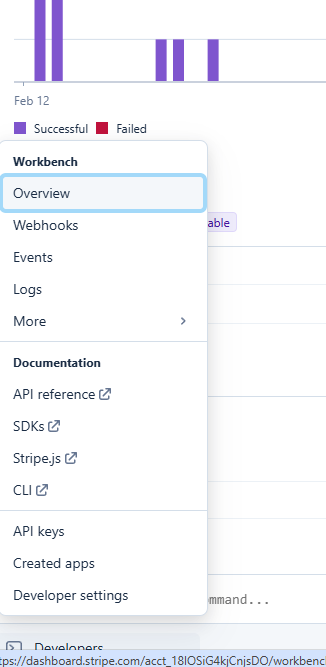
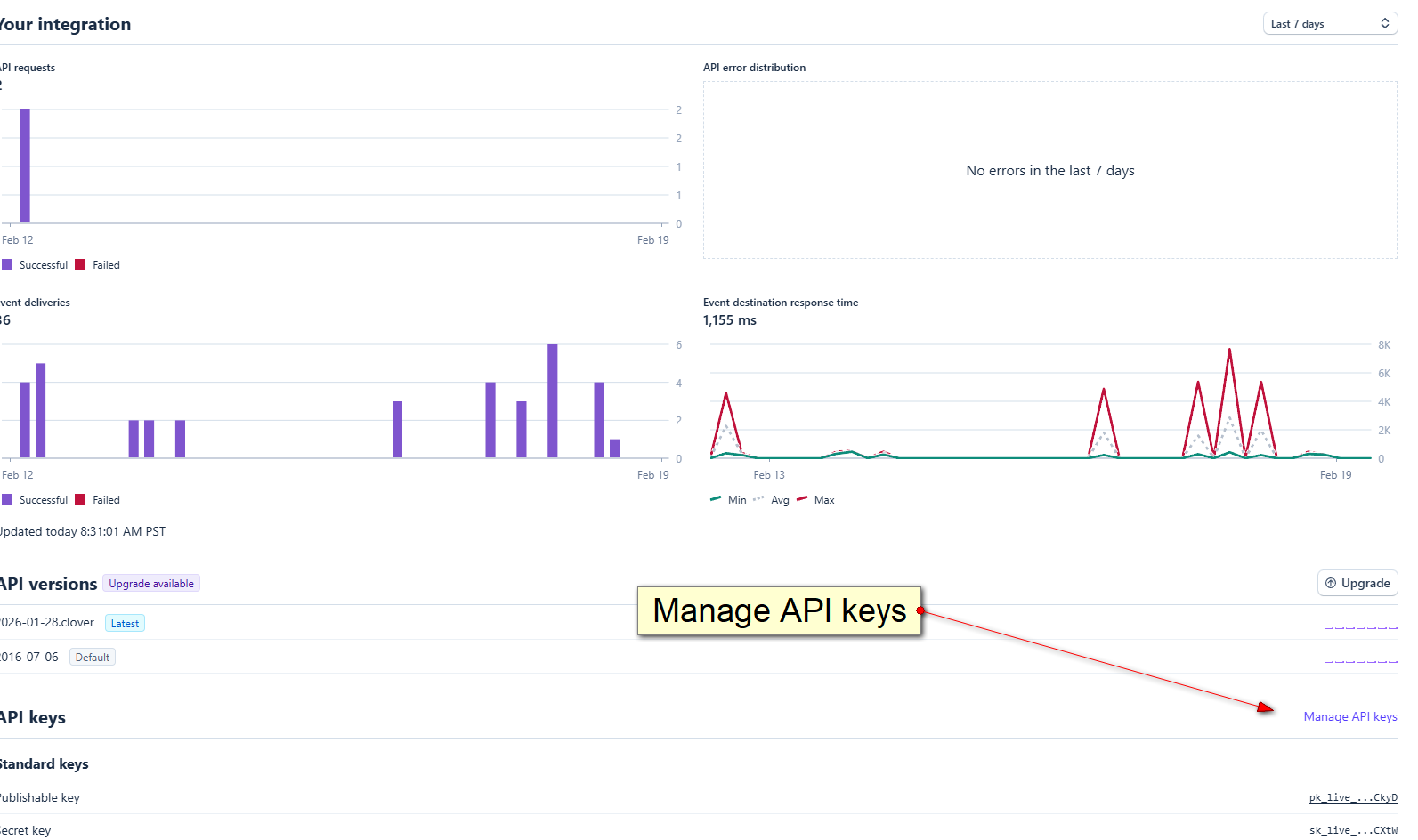
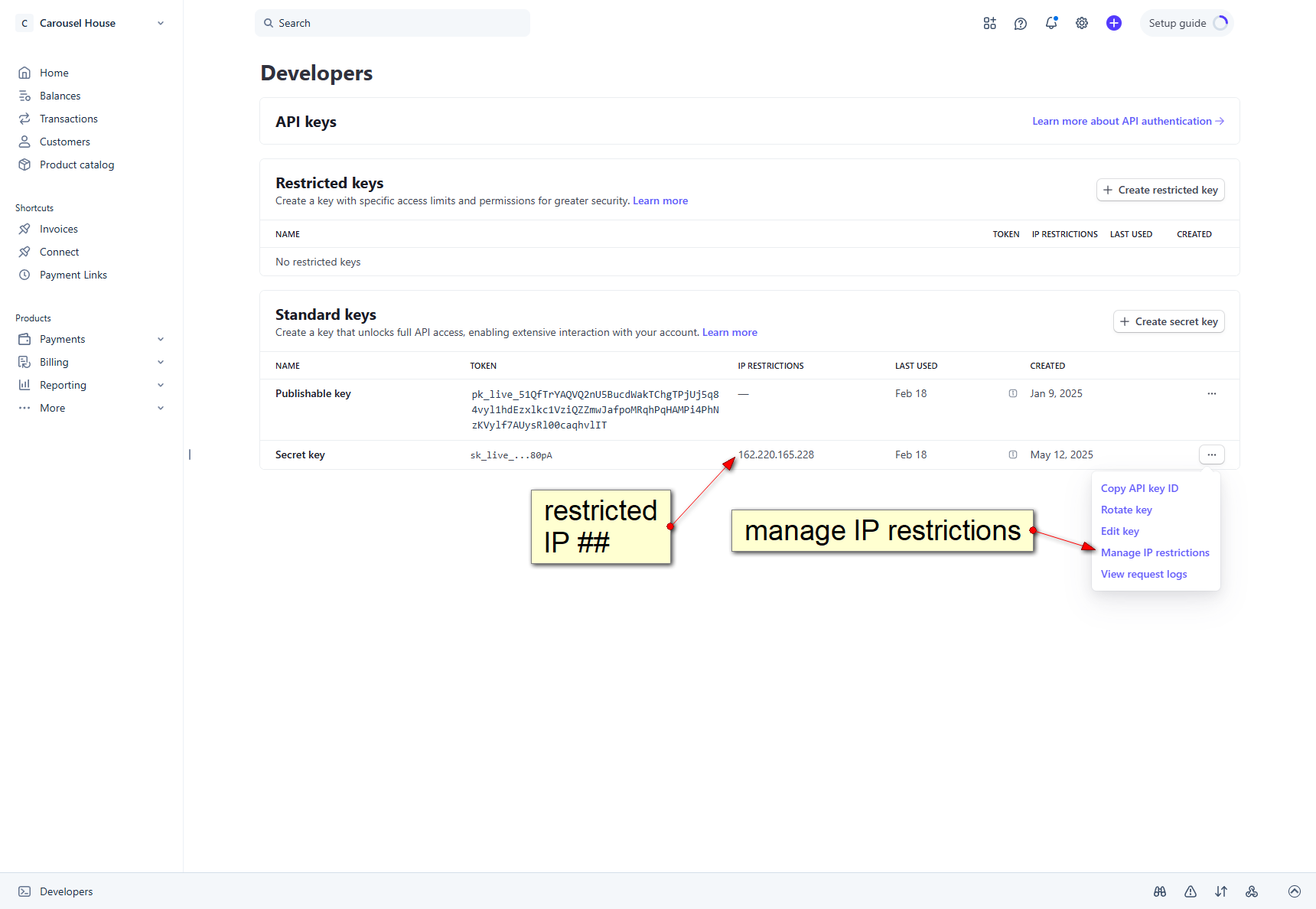
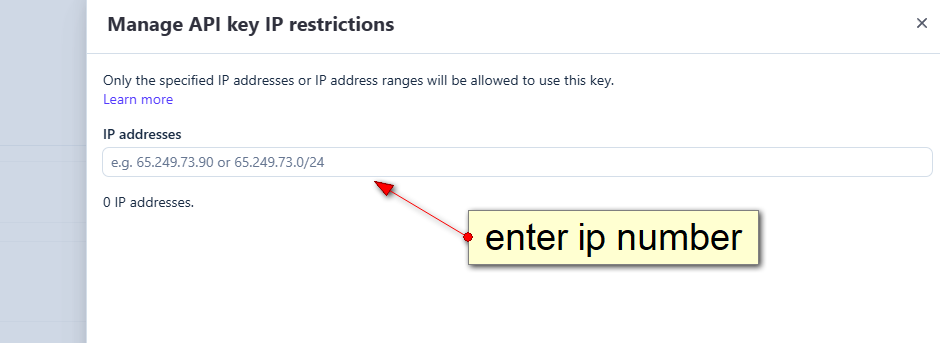
create and mount a new VM disk
written from here
edit VM:
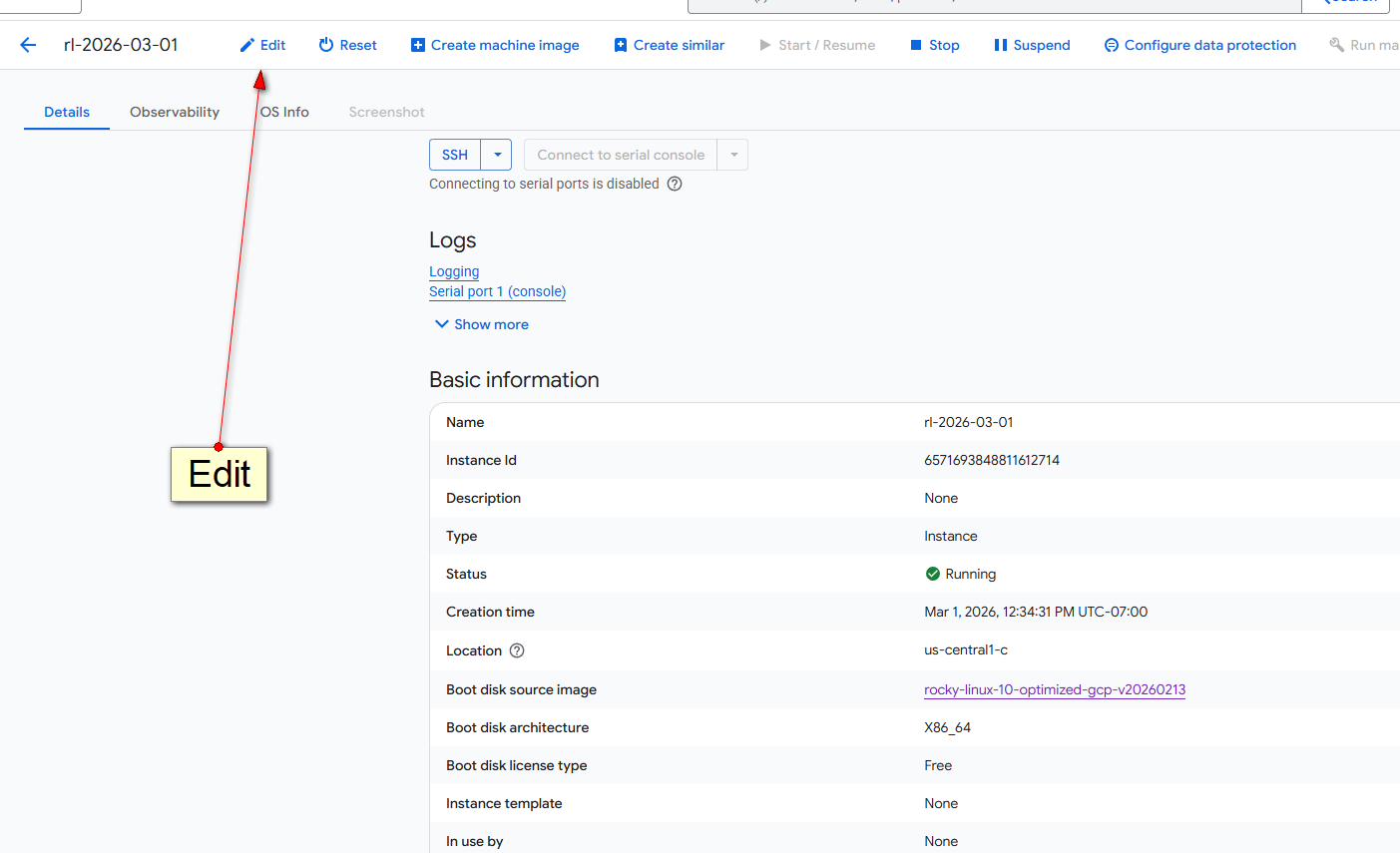
create new disk or use existing one:
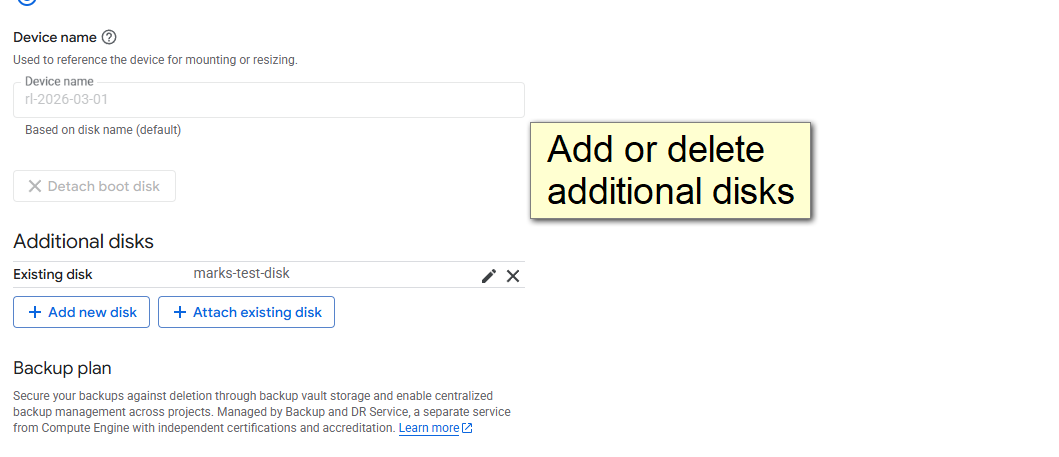
Once completed, please logged in and do the following
lsblk ; # look for: sdb 8:16 0 100G 0 disk
fdisk -l ## get the device name
mkfs.ext4 /dev/sda ; ## format the disk
mkdir /dev/sda3 ; #create a new mountpoint directory
mount /dev/sdb /dev/sda3 ; ## mount the new device to the new directory
lsblk ; ## notice the change: /dev/sdb 102626232 24 97366944 1% /dev/sda3
df ; ## notice new /dev/stb mounted on /dev/sda3
umount /dev/sdb ; ## optionally unmount
rmdir /dev/sda3 ; ## optionally remove mount point
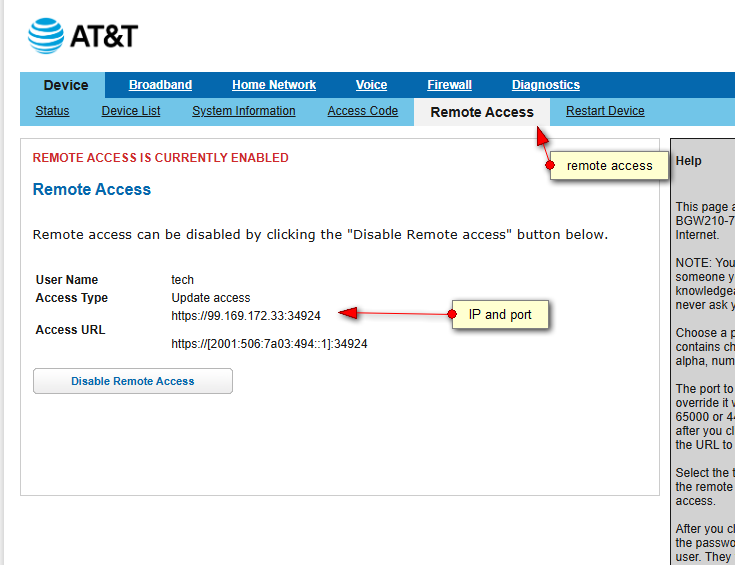
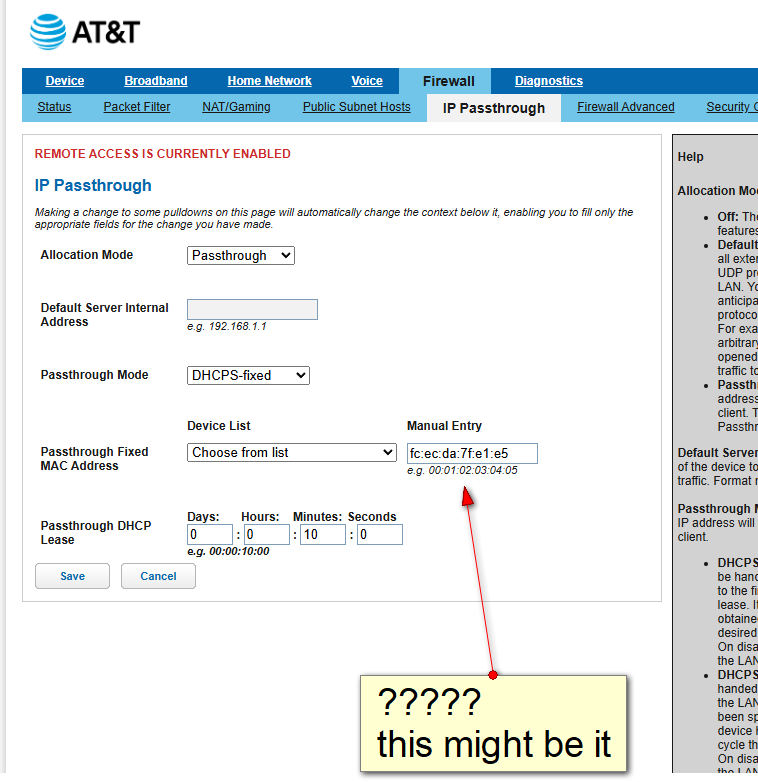
AT&T Arris DSL MODEM
Open up outside access:
Set up IP address passthru via IP Nbr:
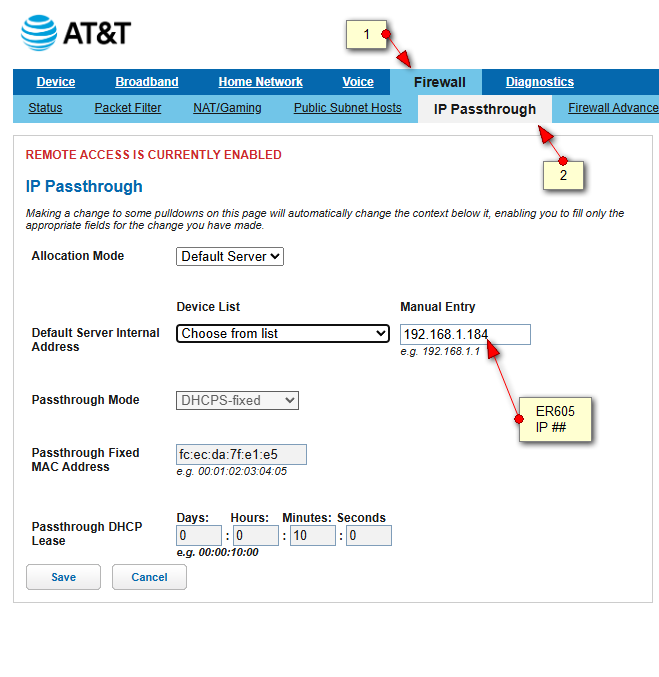
Optional use MAC address:
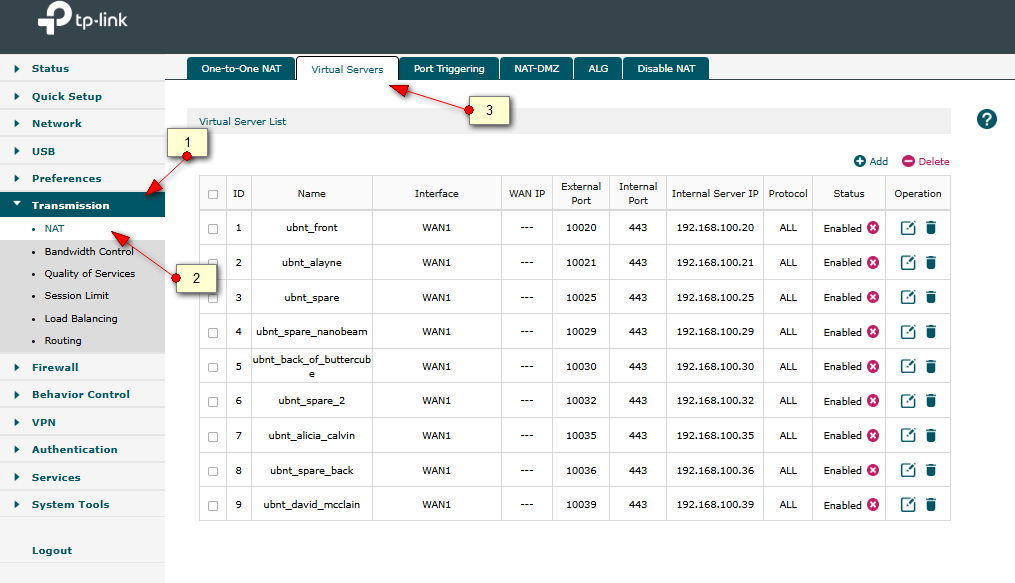
Redirect port 443 to ER605 Device: (notice restriction to Torguard VPN)

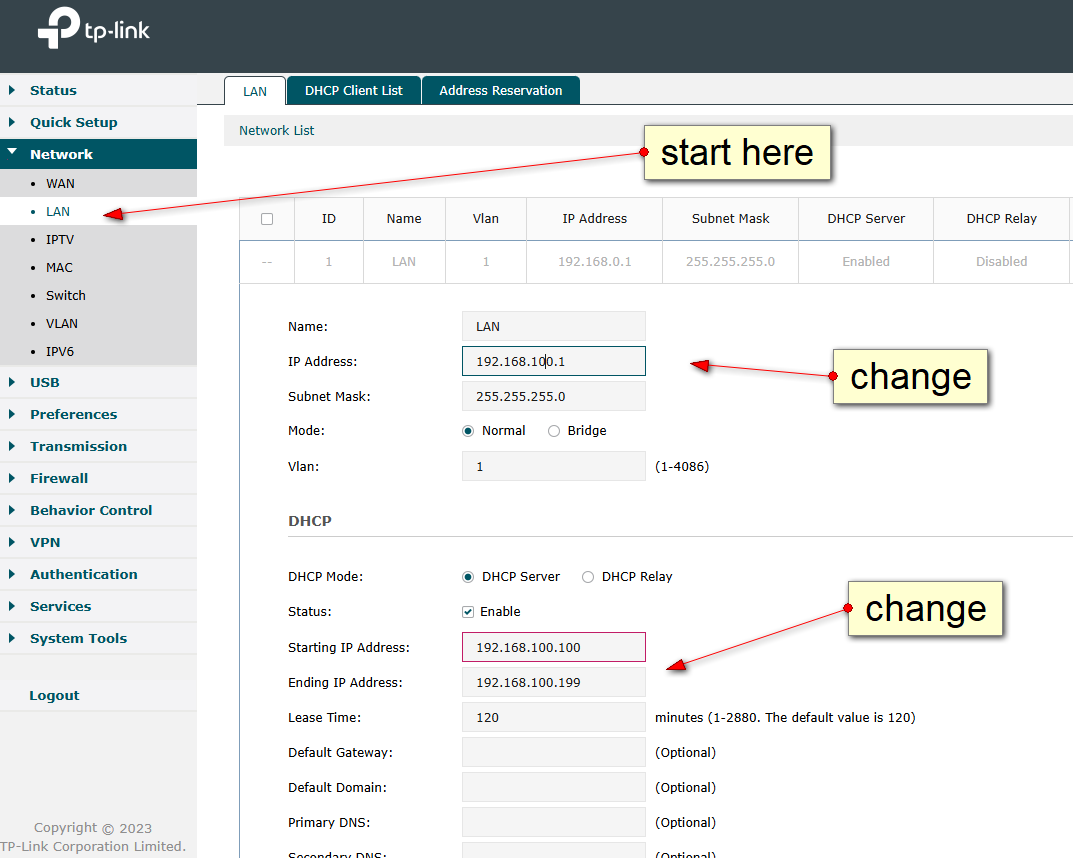
TP-Link ER605
Set up LAN IP ##'s
Redirect ports to specific IP ##'s
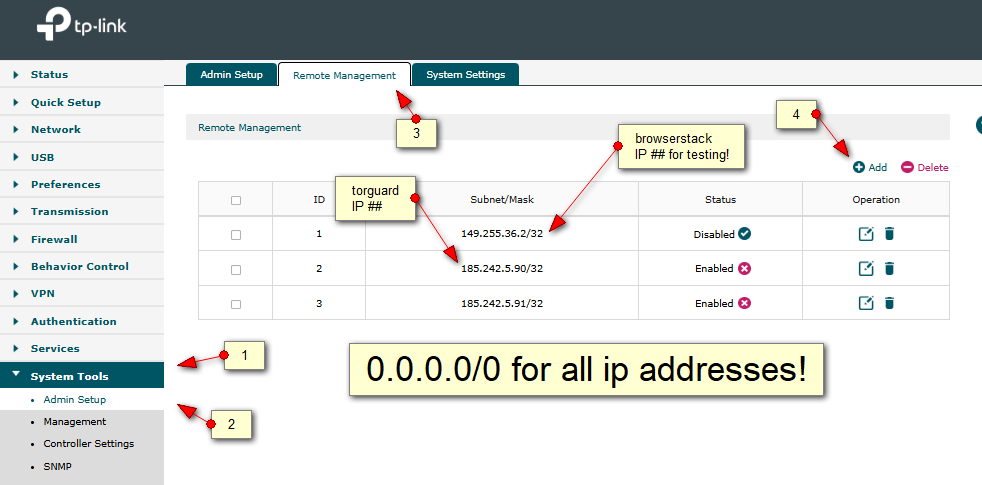
Open up remote access:
Allow external pinging:
https://www.reddit.com/r/TpLink/comments/100q9id/er605_can_i_enable_respond_to_ping_from_wan/
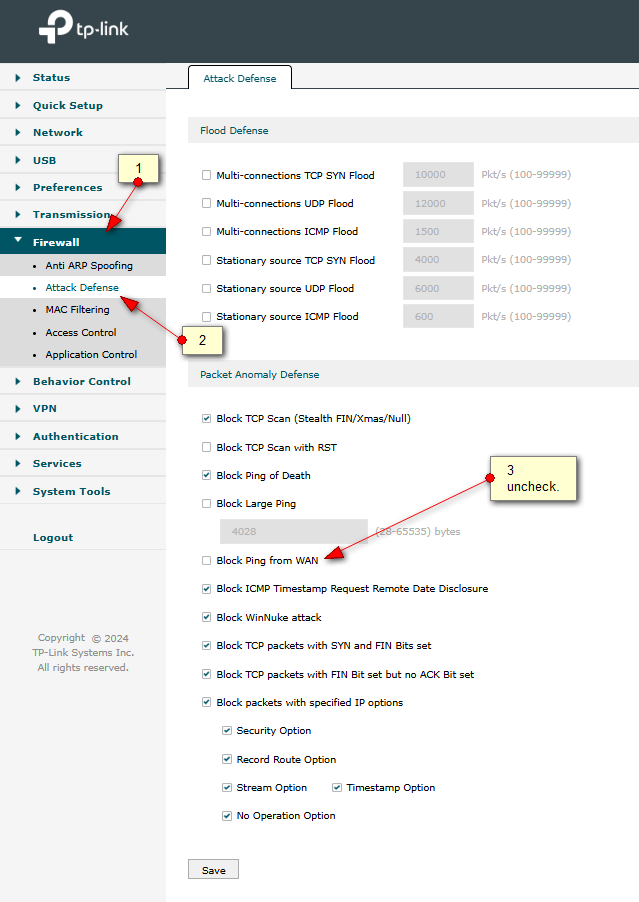
Article written from this source.
Google is migrating all of its reCaptcha keys over to google-projects. this is fairly simple, but notice the old secret keys are now part of the “legacy key” section.
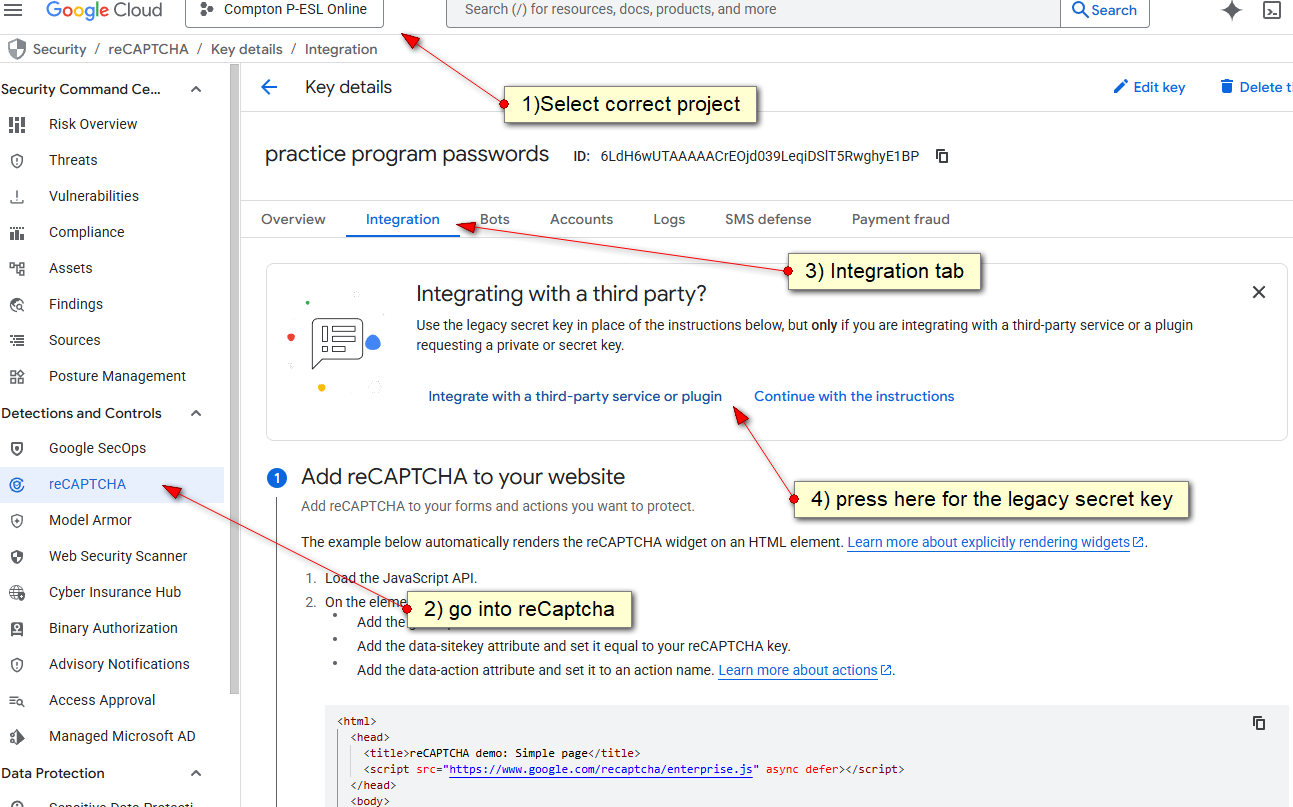
Notice key:
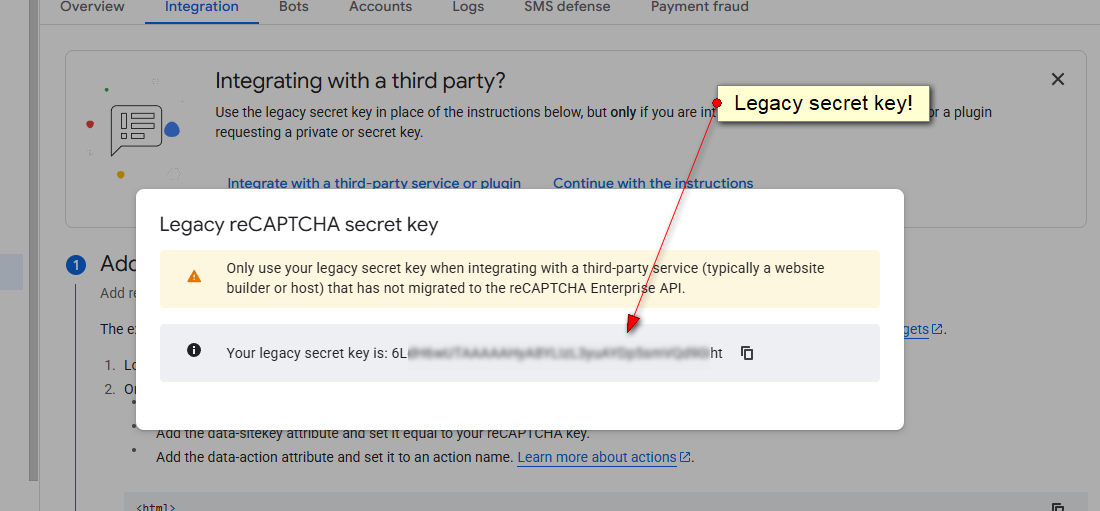
DEV TO LIVE:
change /home/ajcomptonpesl.com/domains/dev.ajcomptonpesl.com/public_html/wp-config.php
change /home/ajcomptonpesl.com/domains/dev.ajcomptonpesl.com/public_html/wp-content/uploads/elementor/css/post-15.css
mv -i -v public_html public_html-SAVED ;
ln -s /home/ajcomptonpesl.com/domains/dev.ajcomptonpesl.com/public_html/ /home/ajcomptonpesl.com//
TO RESET:
rm -v -i ./public_html
mv -i -v public_html-SAVED public_html ;
change /home/ajcomptonpesl.com/domains/dev.ajcomptonpesl.com/public_html/wp-config.php
change /home/ajcomptonpesl.com/domains/dev.ajcomptonpesl.com/public_html/wp-content/uploads/elementor/css/post-15.css
bash -vx ~/flushCache.bsh ;